Customize Your Indexing Valve in Minutes
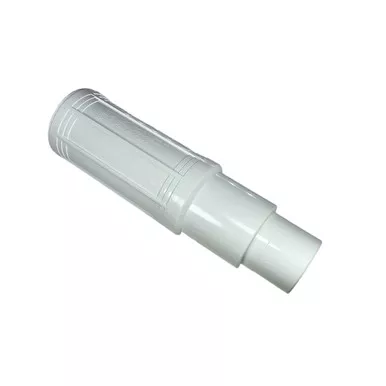
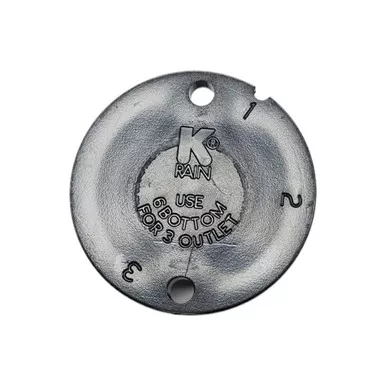
The Valve Cams for Automatic Distribution Valves act as the mechanical brain of your indexing irrigation system. Designed specifically to drop into the Six Outlet Automatic Distribution Valve, these durable plastic inserts dictate exactly how many zones your valve will cycle through each time the water pressure turns on and off.
Available in 3, 4, 5, or 6-zone configurations, these modular cams give you the ultimate flexibility to expand or reduce your system’s layout. Whether you have a large residential landscape or a sprawling agricultural setup, simply select the cam that matches your active number of zones to ensure your water is distributed evenly and reliably without the need for complex electrical wiring.
- Required Component: The indexing distribution valve cannot function without a cam installed; it is the sole moving part that ratchets the water flow to the next outlet.
- Easily Upgradable: Started with 3 zones but just expanded your garden? Simply buy the 4, 5, or 6-zone cam and drop it in to instantly automate your new additions.
- Tool-Free Swap: Installing or changing a cam takes less than five minutes and only requires removing the screws on the top of your valve housing.
- Durable Operation: Built to withstand years of mechanical cycling under heavy water pressure.
Detailed specifications for system planning.
| Specification | Details |
|---|---|
| Product Type | Mechanical Indexing Cam |
| Compatibility | Fits the Six Outlet Automatic Distribution Valve |
| Available Sizes | 3, 4, 5, or 6 Zone Configurations |
| Material | High-Impact Plastic |
Follow these steps to insert or swap the cam in your distribution valve.
Step 1: Open the Valve Housing
Ensure the water pressure is turned completely off. Use a screwdriver to remove the screws holding the top lid of your Six Outlet Distribution Valve in place, and carefully lift off the cover.
Step 2: Remove the Old Cam (If Applicable)
If you are upgrading an existing system, lift the old cam out of the center mechanism.
Step 3: Insert the New Cam
Place your new 3, 4, 5, or 6-zone cam directly into the center of the valve body. It is designed to sit cleanly within the internal grooves.
Step 4: Secure the Housing
Replace the top lid of the valve, ensuring the rubber O-ring is properly seated to prevent leaks. Tighten the screws evenly in a star pattern.
Step 5: Cap Unused Outlets
If you installed a 3, 4, or 5-zone cam, you MUST cap the unused outlets on the valve body. Glue a short piece of PVC into the unused port, cap it, and drill a tiny 1/8″ hole in the cap to allow internal water to drain.